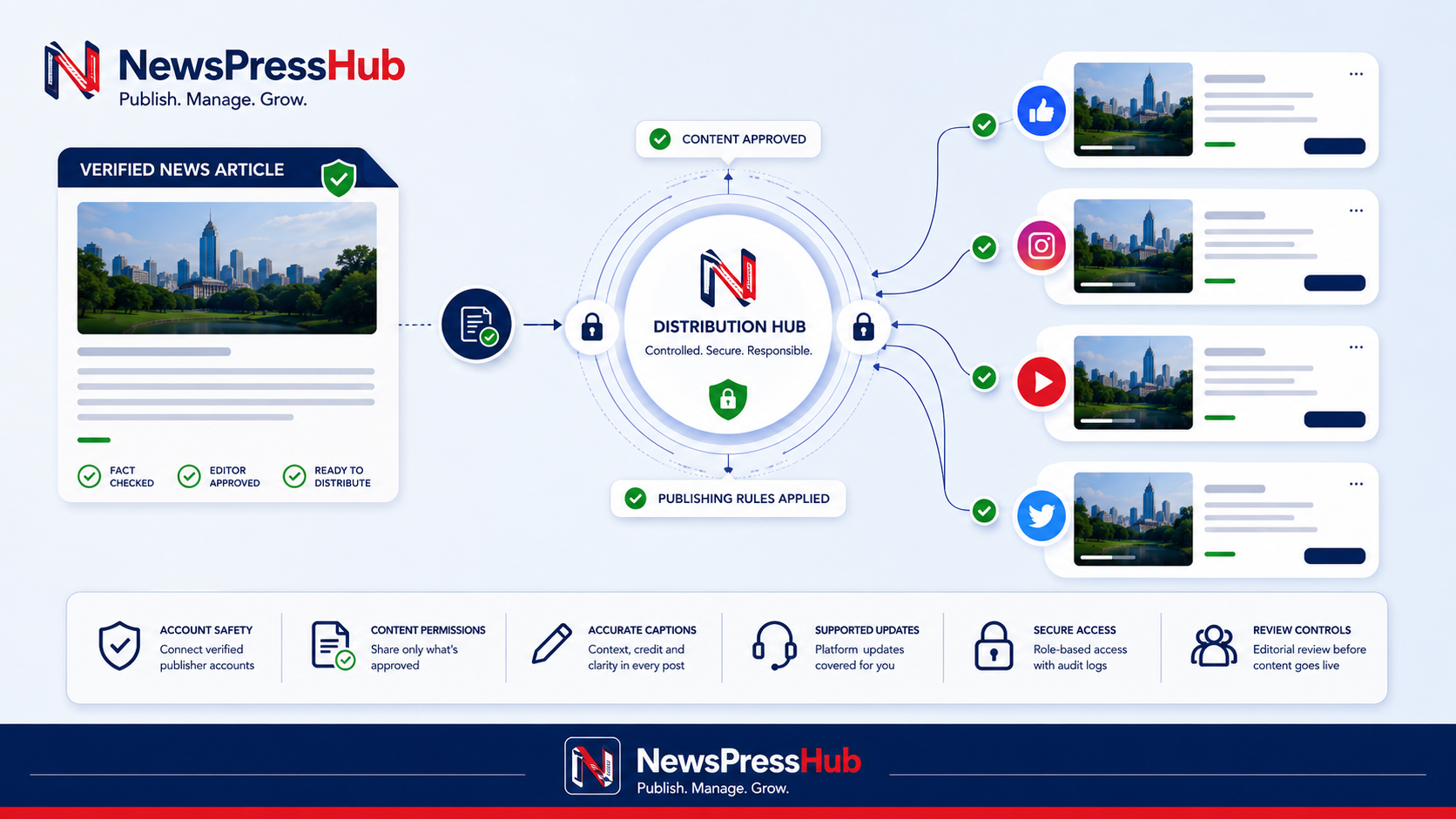

Social distribution can help a newsroom reach readers where they already spend time. It can also spread an error faster, publish to the wrong account, or attach an unsuitable image when automation is enabled without controls. The safest model treats social publishing as the final stage of an approved editorial workflow.
Connect only official accounts
Use an account that the publication is authorized to manage. Confirm the page or channel name, administrator ownership, connected professional account where required, and the permissions requested by the integration. Do not share passwords or access tokens in articles, messages, screenshots, or support tickets.
Review connected accounts after staff changes. Disconnect access that is no longer needed and keep recovery information current.
Decide what should be automated
Not every content type needs the same distribution rule. A newsroom may choose to share published news automatically while reviewing editorial blogs or e-paper posts manually. Start with a narrow set of toggles, observe the results, and expand only when the workflow is reliable.
Automation should apply only to active, approved content with a valid public link. Drafts, tests, private pages, and incomplete media should never enter the distribution queue.
Prepare the source article first
- Confirm the headline is accurate and not misleading when separated from the article.
- Use an image the newsroom is permitted to distribute on the destination platform.
- Check that the public agency domain opens over HTTPS and the article is visible.
- Review the summary or caption for unsupported claims.
- Confirm the account and content-type toggles before saving.
Understand platform differences
Connected services do not always support the same create, edit, media-replacement, or deletion behavior. Before changing a published story or image, review what the destination supports. An edit that updates one platform may require a replacement workflow on another.
Keep the website article as the primary record. Social posts should direct readers to the complete, current page rather than become the only version of important reporting.
Write captions for context, not only clicks
A responsible caption identifies the verified development and gives readers enough context to understand why the link matters. Avoid fabricated urgency, misleading questions, or claims that are not supported by the article. Use hashtags sparingly and only when relevant.
Create a failure and correction process
Document what happens when an account connection expires, a post fails, the wrong image appears, or a material correction is required. Decide who checks the queue, who can retry, and who approves deletion or replacement. Record enough internal detail to learn from the failure without exposing private credentials.
Measure meaningful distribution
Reach and clicks can be useful, but they should not become the only editorial target. Review whether social visitors reach the correct article, whether the page works on mobile, whether the story serves the intended audience, and whether repeated topics create genuine reader value.
Automation should remove repetitive publishing work. It should not remove responsibility for what is published.
NewsPressHub supports plan-dependent connected social publishing, content-type toggles, platform toggles, public article links, and connection status. Use these controls gradually, keep the website as the source of truth, and review every automated pathway after account or workflow changes.